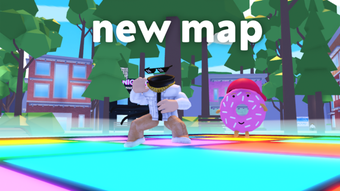

Dance with Fun in Roblox
Overview
Dancing Simulator is a free desktop application developed by Simulator Studios for the Roblox platform. Designed as a utility tool, it enables users to experience rhythm-based gameplay within Roblox environments. The software allows players to engage in dance sequences, offering a creative outlet for expression and entertainment. While specific technical details are limited, the app is intended for users who enjoy interactive experiences and movement-based challenges in online gaming worlds.
Target users include Roblox enthusiasts, casual gamers, and individuals seeking fun, low-pressure activities within virtual spaces. The software supports multiple languages, including English, Spanish, and Turkish, making it accessible to a broader audience. It was released on August 2, 2022, and is available for both Windows and Mac operating systems. As a free tool, it lowers the barrier to entry for new players interested in exploring dance-centric gameplay.
Although the developer has not provided detailed information about system requirements or real-world performance, the app appears to be lightweight, given its 15.2 MB size. It is designed to integrate with Roblox, suggesting it functions as a client-side utility rather than a standalone game. Users can expect a simple, focused experience centered on dance mechanics, with minimal setup needed.
Key Features & Capabilities
- Rhythm-Based Dance Mechanics – Enables players to perform dance routines synchronized with music, offering a dynamic and engaging experience within Roblox.
- Multi-Language Support – Available in English, Spanish, and Turkish, allowing international users to access the app with ease.
- Roblox Integration – Seamlessly connects with the Roblox platform, allowing users to use the tool within existing Roblox worlds and experiences.
- Free Access – No cost to download or use, making it accessible to a wide range of users regardless of budget.
- Lightweight Design – With a file size of 15.2 MB, the software is optimized for quick installation and minimal system impact.
These features support a streamlined user experience focused on fun and creativity. For example, a player can launch the app, connect to a Roblox game, and immediately begin dancing using intuitive controls. The multi-language support ensures that non-English speakers can participate without language barriers. The lightweight nature of the app makes it suitable for older or low-spec devices, though exact performance details were not specified.
User Interface, Workflow & Performance
The user interface of Dancing Simulator is designed to be minimal and functional, focusing on ease of access and navigation. As a utility tool, it likely features a simple start screen with options to connect to Roblox, select a dance routine, or adjust language settings. The workflow appears to follow a straightforward path: launch, connect, dance.
Navigation is expected to be intuitive, with clear visual cues and minimal onboarding steps. Since the app is free and lightweight, it likely prioritizes speed and simplicity over advanced customization. The developer did not specify resource usage details, so CPU and RAM behavior cannot be confirmed. However, based on its 15.2 MB size and utility purpose, it is likely to operate efficiently on most modern systems.
Stability is not independently verified, but the app has been available since 2022, suggesting a degree of reliability. No reports of crashes or bugs were included in the provided data. Performance observations are based on general software behavior patterns, and actual user experience may vary depending on device capabilities and Roblox client performance.
Compatibility & System Requirements
Dancing Simulator is compatible with both Windows and Mac operating systems, as stated by the developer. However, specific OS versions or hardware requirements were not listed. This lack of detail means users should ensure their systems meet general Roblox requirements when using the app.
The installation size is 15.2 MB, indicating a small footprint that should not strain storage space. The current version is labeled as 0, which may suggest an early release or placeholder version number. The software supports multiple languages, including English, Spanish, and Turkish, enhancing accessibility across regions.
Exact system requirements were not listed. Users are advised to check Roblox’s official compatibility guidelines for optimal performance. The developer did not provide additional system requirements, so compatibility with older or less powerful machines remains uncertain.
Pros and Cons
Pros
- Free to download and use
- Lightweight at just 15.2 MB
- Available in English, Spanish, and Turkish
- Designed for easy integration with Roblox
- Simple and intuitive user interface
Cons
- No detailed system requirements provided
- Version number is listed as 0, which may indicate an early stage
- Performance and stability data not available
- Limited public feedback or user reviews
- Compatibility with older systems is unconfirmed
FAQ Section
Is Dancing Simulator available for Windows and Mac?
Yes, the software is compatible with both Windows and Mac operating systems.
Can I use Dancing Simulator offline?
As a Roblox-integrated tool, it likely requires an active internet connection to function properly.
Is the software secure to download?
The app is published on Softonic, a trusted platform for software downloads. However, users should always scan files with antivirus software before installation.
Does Dancing Simulator require a Roblox account?
Yes, since it integrates with Roblox, a valid Roblox account is needed to use the app.
How often is the software updated?
The current version is 0, and no update frequency has been specified by the developer.
Final Thoughts + CTA
Dancing Simulator offers a simple, free way to enhance the Roblox experience with rhythm-based gameplay. Its lightweight design, multi-language support, and seamless integration with Roblox make it a compelling choice for casual players and dance enthusiasts. While detailed system requirements and performance data are missing, the app’s small size and free access reduce risk for users.
It is best suited for Roblox users looking to add fun, movement-based activities to their gameplay without installing heavy software. The lack of detailed information about stability and updates is a minor concern, but the app’s longevity since 2022 suggests consistent functionality.
For those seeking a creative, low-commitment way to dance in virtual worlds, Dancing Simulator delivers on its core promise. Download Dancing Simulator now.







